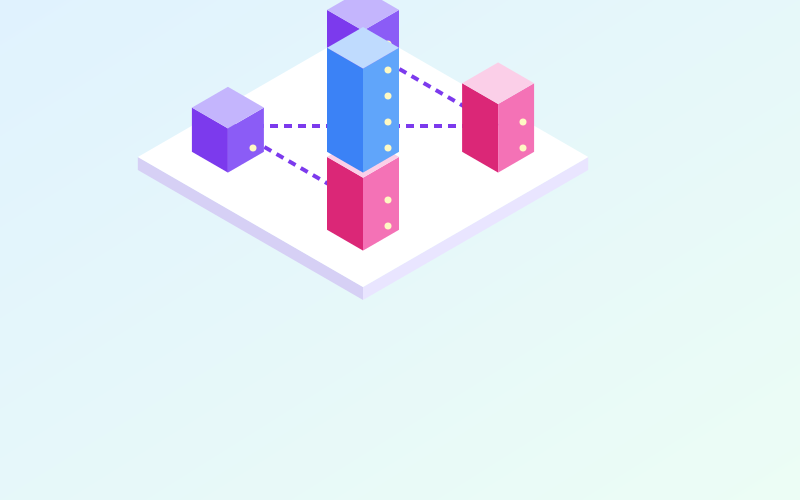
A reverse proxy is a server that receives client requests in place of the actual applications and forwards them to the right service. To visitors it is invisible: the browser believes it is talking to a single server, while behind it there may be dozens of different services. It is one of the most useful components in any infrastructure, from a small home server to a data centre.
Proxy versus reverse proxy
The two terms are often confused, but they work on opposite sides:
| Proxy (forward) | Reverse proxy | |
|---|---|---|
| Who it represents | Clients | Servers |
| Where it sits | Near the users | In front of the services |
| Typical use | Filtering or logging corporate browsing | Publishing applications, terminating TLS |
| Who configures it | Whoever runs the users' network | Whoever runs the services |
A corporate proxy decides what employees can reach. A reverse proxy decides how outside requests reach internal services.
Its main functions
A single entry point
With one public IP address and ports 80 and 443 you can publish many services, telling them apart by domain name or path:
cloud.example.comto the file storage application;photos.example.comto the gallery;example.com/apito the backend service.
The reverse proxy reads the requested name, carried in the Host header and, with HTTPS, in the SNI extension of the TLS handshake, and routes accordingly.
TLS termination
The reverse proxy can handle HTTPS for every service: it stores the certificates, renews them (many products build in automatic renewal via ACME, the protocol used by Let's Encrypt) and talks to internal applications over plain HTTP or an internal TLS link. That way you do not have to configure certificates on each individual application.
Load balancing
If a service runs on several instances, the reverse proxy spreads requests across them using criteria such as round robin, fewest active connections or affinity by client address. With health checks it automatically excludes instances that stop responding.
Caching, compression and limits
It can compress responses, cache static content, limit the number of requests per client and reject malformed requests before they reach the application.
Popular software
Among the most widely used are nginx, HAProxy, Apache HTTP Server with its proxy modules, Caddy and Traefik. Caddy is appreciated for automatic certificate management with minimal configuration; Traefik integrates with Docker and reads its configuration straight from container labels; HAProxy is widely used for high-performance load balancing.
A minimal nginx example, publishing an internal application running on port 8080:
server {
    listen 443 ssl;
    server_name cloud.example.com;
    ssl_certificate     /etc/ssl/cloud/fullchain.pem;
    ssl_certificate_key /etc/ssl/cloud/privkey.pem;

    location / {
        proxy_pass http://127.0.0.1:8080;
        proxy_set_header Host $host;
        proxy_set_header X-Forwarded-For $proxy_add_x_forwarded_for;
        proxy_set_header X-Forwarded-Proto $scheme;
    }
}
Headers you must not forget
When the proxy forwards a request, the application sees the proxy itself as the sender, not the visitor. To keep that information, dedicated headers are used:
- X-Forwarded-For or the standard Forwarded: the client's original IP address;
- X-Forwarded-Proto: whether the original request was HTTP or HTTPS;
- Host: the requested domain name.
An important security point: the application should trust these headers only when they come from the proxy. If the internal service can also be reached directly, anyone can send a fake X-Forwarded-For and pose as a different address, bypassing IP-based access limits or corrupting the logs.
Good practice
- Have internal applications listen only on localhost or the internal network, never on the public interface.
- Redirect all HTTP traffic to HTTPS.
- Set sensible limits on request size and timeouts, adjusting them for services that upload large files.
- Keep access logs on the proxy: everything passes through it, and it will be the first source to check when something goes wrong.
- Update the proxy software regularly, since it is directly exposed to the Internet.
In incident analysis work, reverse proxy logs are often the only reliable record of what reached the services and from where: it is worth getting their format and retention right from the start.
In short
- A reverse proxy sits in front of services and routes requests by name or path.
- It centralises HTTPS and certificate renewal, relieving individual applications.
- It can balance load, compress, rate-limit and cache.
- X-Forwarded headers should be passed on, but accepted only when they come from the proxy.
- Applications behind the proxy must not be directly reachable from outside.